
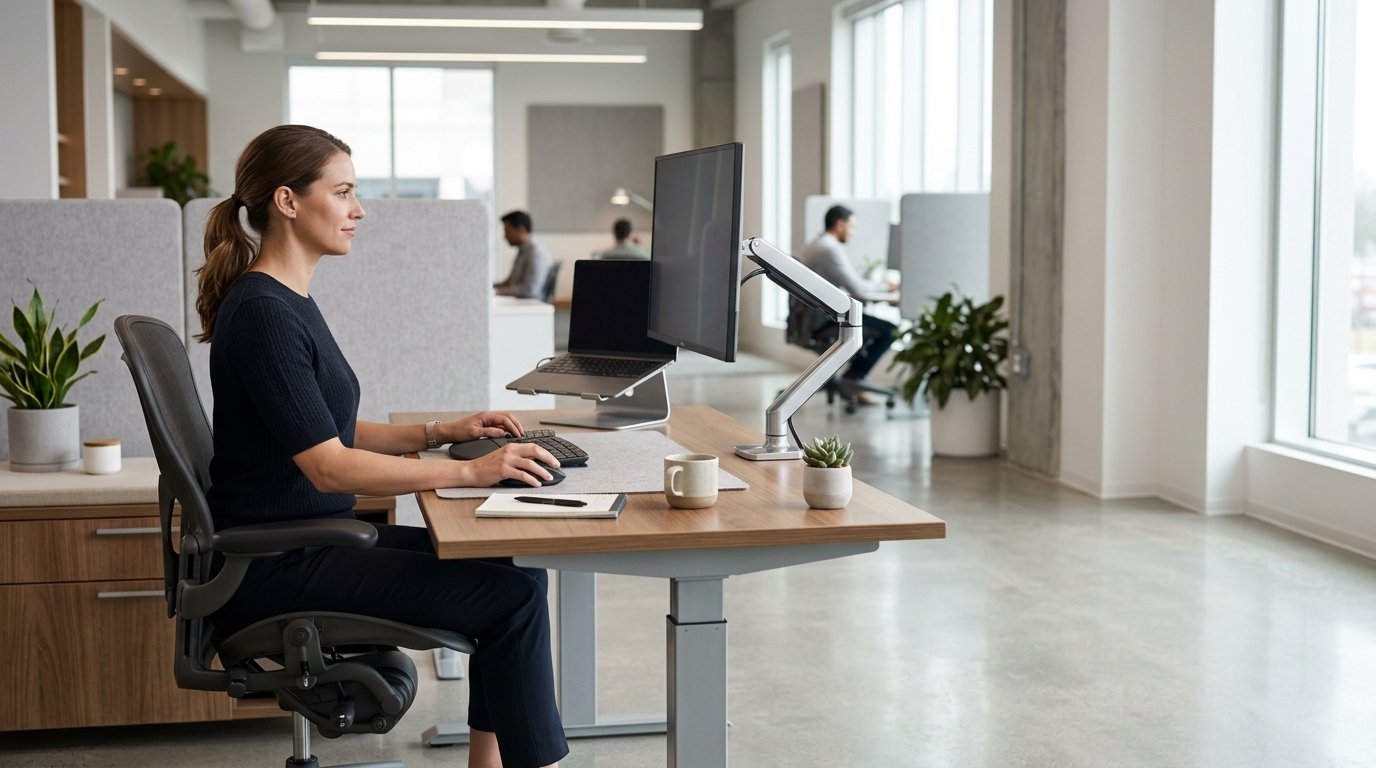
Spending most of the working day at a desk can place continuous physical demands on the body. The issue is not simply how comfortable an office chair feels. Desk height, monitor position, seating support and the ability to change posture all influence how the body behaves during work.
This is where ergonomic office furniture becomes important. A well-designed workstation should allow people to work comfortably while making it easier to adjust their position, move naturally and avoid unnecessary physical strain.
Why Sitting for Long Periods Can Become a Problem
Office work often requires people to remain at a desk for several hours. Even with a properly adjusted chair, maintaining the same position for too long can create static muscular load and discomfort.
Good workplace ergonomics therefore should not be based on finding one perfect sitting position and maintaining it throughout the day. The body benefits from regular changes in position and movement.
This changes the way office furniture should be considered. A desk and chair are not isolated products. Together with monitor supports and other accessories, they form a workstation designed around the user’s body and daily tasks.
Choosing an Ergonomic Office Chair
An ergonomic office chair should provide support while still allowing natural movement.
Seat height is one of the basic adjustments. Ideally, the user should be able to place their feet securely on the floor while keeping the knees and hips in a comfortable position. Adjustable backrests and lumbar support can help accommodate different body types and working positions.
Armrests are also relevant when using a keyboard and mouse. If they are positioned appropriately, they can help support the arms without forcing the shoulders into an elevated or restricted position.
Seat depth matters as well. A chair that is too deep or too shallow may make it difficult to use the backrest effectively. Since people have different body proportions, adjustability is often more useful than a one-size-fits-all design.
The objective is not to lock the user into a rigid posture. A good office chair should provide support while allowing the user to shift position during the working day.
The Importance of an Ergonomic Desk
The desk is another major component of an ergonomic workstation.
A fixed-height desk may work well for one user but be poorly suited to another. If the working surface is too high, the shoulders may remain elevated while typing or using a mouse. If it is too low, the user may compensate by leaning forward.
An adjustable desk gives the user more control over working height. Sit-stand desks can also make it easier to alternate between sitting and standing during the day.
Standing should not simply replace sitting for several uninterrupted hours. The more practical approach is to create a workstation that allows postural variation. Changing position throughout the day can be more useful than trying to maintain one posture continuously.
Monitor Position and Neck Posture
The monitor is often overlooked when people evaluate office ergonomics.
A screen that is positioned too low, too high or too far away can encourage awkward head and neck positioning. Over extended periods, this may contribute to discomfort in the neck and upper back.
A monitor arm or adjustable monitor stand can provide greater control over screen height, viewing distance and angle. It can also free space on the desk and make it easier to reposition the screen when the workstation changes.
For people using two or more monitors, this flexibility becomes even more useful. Multiple screens should be positioned according to how they are actually used rather than simply placed wherever there is available desk space.
Office Accessories Are Part of the Workstation
Ergonomics does not stop with the chair and desk.
The smaller elements of a workstation can affect how comfortably a person interacts with their equipment. Monitor arms, keyboard trays, footrests, laptop stands and cable-management accessories can each address a specific ergonomic or workspace problem.
For example, a laptop placed directly on a desk may force the user to look downward for extended periods. Raising the screen with a laptop stand can improve screen positioning, while an external keyboard and mouse allow the hands to remain at a more appropriate working height.
These accessories should not be viewed as isolated upgrades. Their effectiveness depends on how they fit into the complete workstation.
Ergonomic Design Should Support Different Users
There is no universal workstation configuration that is ideal for everyone.
Height, body proportions, work activities and equipment all affect how a person interacts with their desk. A designer working with a large monitor setup may have different requirements from someone working primarily on a laptop. A shared office creates another challenge because the same workstation may be used by people with very different physical dimensions.
This is why adjustability is one of the most useful principles in ergonomic office furniture. The more relevant parts of a workstation can be adjusted, the easier it becomes to accommodate different users and working conditions.
A Healthier Workplace Is Not About Sitting Perfectly
The purpose of ergonomic furniture is sometimes misunderstood. It is not to create a chair or desk that eliminates every physical problem associated with office work.
Furniture cannot replace movement, appropriate work habits or breaks. What it can do is create an environment that makes better working positions easier to achieve.
An ergonomic workstation gives users more control over their physical environment. They can adjust the chair, change desk height, reposition the monitor and alternate between sitting and standing when appropriate.
That is a more realistic approach to workplace ergonomics than expecting people to remain in one “correct” posture for an entire working day.
Designing the Workstation Around the User
Office furniture should ultimately serve the person using it.
A desk provides the working surface. A chair supports the body. A monitor arm positions the screen. Accessories help organize the relationship between the user and their equipment. When these elements are designed to work together, the workstation becomes more adaptable and practical.
For businesses, this also changes how office furniture should be selected. Instead of evaluating individual products only by appearance or price, it is worth considering how each component contributes to the user’s working position and ability to move.
Ergonomic office furniture is not about creating a perfect posture. It is about creating a workspace that supports the body while allowing people to work, adjust and move throughout the day.
No responses yet